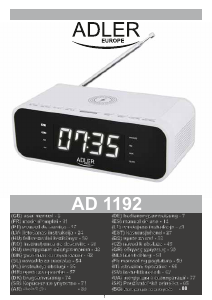
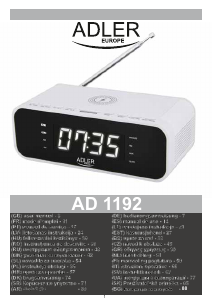
Manual Adler AD 1192 Radio cu ceas

Ai nevoie de un manual pentru Adler AD 1192 Radio cu ceas? Mai jos puteți vizualiza și descărca manualul PDF gratuit în limba română. Acest produs are în prezent 3 întrebări frecvente, 0 comentarii și are 0 voturi. Dacă acesta nu este manualul dorit, vă rugăm să ne contactați.

Produsul dvs. s-a defectat și manualul nu oferă nicio soluție? Mergeți la Repair Café pentru servicii de reparații gratuite.

Manual

Loading…

5
1. Turn the device on by pressing the STANDBY / FUNCTION button (2) once.
Manual setting of the preset number to the radio station.
6. The device will switch to the frequency assigned to the preset.
5. Press the PRE. Button (9). To confirm your choice.
4. You can change the preset number by pressing the Skip – and Skip + button (7,8).
3. Press the PRE. Button (9).
2. The device will turn on the radio function.
1. Turn the device on by pressing the On/ Off button (2) once.
Automatic radio station setup to preset stations:
5. Once the device has covered all of the frequencies the radio will stop searching.
4. The radio will start to search for radio signals and assign presets numbers to the found station.
3. Press and hold for at least 3 seconds the CLK./MEM. Button (3).
2. The device will turn on the radio function.
1. Turn the device on by pressing the STANDBY / FUNCTION button (2) once.
Automatic frequency finding and assigning presets to each signal:
6. Control the music playback with your playback device.
5. After pairing the device is ready to play.
4. Find on your playback device the “AD 1192” and press PAIR.
3. The device will be in “Pairing” mode.
2. Press the STANDBY / FUNCTION button (2) again to change to the Bluetooth function.
1. Turn the device on by pressing the STANDBY / FUNCTION button (2) once.
Bluetooth function:
3. Press the the Vol-/Vol+ / Al.1/Al.2 Button (4,5) buttons to change the volume UP or DOWN.
2. The device will turn on the radio function.
1. Turn the device on by pressing the STANDBY / FUNCTION button (2) once.
1. Unplug the device from the mains power.
Cleaning and Maintenance:
Due to the interference from wireless charging, the wireless charging function will be suspended under the FM radio mode.
Please use the USB charger slot to charge your device under the FM radio mode.
Please note the thickness of your charging case. If the case is thicker than 5mm the charger will not work properly.
5. Once the phone has finished charging please remove it from the device.
4. Put the phone on the upper part of the device marked with the Lightning / Charging logo.
3. Put your phone that has the ability to be charged wirelessly.
2. Remove your phone from its case.
1. Plug the device to the mains power.
Wireless charging:
3. Once done, unplug the USB cable.
2. Using an USB cable insert one side of the cable into the USB port (16) at the back of the radio.
1. Plug the device to the mains power.
USB Port charging:
6. You can change the volume of the music by using the playback device or the Vol-/Vol+ / Al.1/Al.2 Button (4,5) buttons to change the
volume UP or DOWN.
5. Change the tracks on the playback device.
4. The device will automatically change to the AUX function.
3. Connect the device via the AUX port (15) on the back.
2. Press the STANDBY / FUNCTION button (2) twice to change to the AUX-IN function, the display will show “AU”.
1. Turn the device on by pressing the On/ Off button (2) once.
AUX playback:
6. The radio will change to the frequency assigned to the number chosen.
5. Press the SLEEP/PRESET Button (9) repeatedly to choose the desired preset number.
4. PX will show. Where the X is the number of the station.
3. Press the SLEEP/PRESET Button (9).
2. The device will turn on the radio function.
1. Turn the device on by pressing the STANDBY / FUNCTION button (2) once.
Choosing the preset radio station:
6. Press the CLK./MEM. Button (3) once to confirm your choice.
5. By using the SCAN – and SCAN + button (7,8) choose the desired preset number.
4. Press the CLK./MEM. Button (3) once.
3. Change the frequency by pressing the SCAN – and SCAN + button (7,8).
2. The device will turn on the radio function.
Descărcaţi manualul în limba română (PDF, 2.6 MB)
(Protejați mediul înconjurător și imprimați acest manual numai dacă este neapărată nevoie)

Loading…

Evaluare

Spuneți-ne ce părere aveți despre Adler AD 1192 Radio cu ceas, lăsând o evaluare a produsului. Doriți să împărtășiți experiența dvs. cu acest produs sau să adresați o întrebare? Lăsați un comentariu în partea de jos a paginii.
Ești mulțumit de Adler AD 1192 Radio cu ceas?
Da Nu
Fiți primul care evaluează acest produs
0 voturi

Alăturați-vă conversației despre acest produs

Aici puteți împărtăși ce părere aveți despre Adler AD 1192 Radio cu ceas. Dacă aveți o întrebare, citiți mai întâi cu atenție manualul. Solicitarea unui manual se poate face folosind formularul nostru de contact.

Mai multe despre acest manual

Înțelegem că este plăcut să aveți un manual pe hârtie pentru Adler AD 1192 Radio cu ceas. Puteți oricând descărca manualul de pe site-ul nostru web și îl puteți imprima singur. Dacă doriți să aveți un manual original, vă recomandăm să contactați Adler. S-ar putea să ofere un manual original. Căutați manualul dvs. Adler AD 1192 Radio cu ceas într-o altă limbă? Alegeți limba preferată pe pagina noastră de pornire și căutați numărul de model pentru a vedea dacă îl avem disponibil.

Specificații

Marcă Adler
Model AD 1192
Categorie Radiouri cu ceas
Tip fișier PDF
Mărime fișier 2.6 MB

Toate manualele pentru Adler Radiouri cu ceas
Mai multe manuale pentru Radiouri cu ceas

Întrebări frecvente despre Adler AD 1192 Radio cu ceas

Echipa noastră de asistență caută informații utile despre produs și răspunde la întrebările frecvente. Dacă descoperiți o inexactitate în întrebările frecvente, vă rugăm să ne anunțați utilizând formularul de contact.

Ce reprezintă AM și PM? Verificat

AM înseamnă Ante Meridiem și indică faptul că ora este înainte de prânz. PM reprezintă Post Meridiem și indică faptul că ora este trecută de prânz.

A fost util (293) Citeşte mai mult

Ce este GMT? Verificat

GMT înseamnă Greenwich Mean Time (uneori numită UTC, reprezentând Timpul universal coordonat). Este timpul pentru longitudinea 0, care trece prin Greenwich lângă Londra.

A fost util (168) Citeşte mai mult

Care este diferența dintre FM și AM? Verificat

FM și AM sunt ambele forme de modulație utilizate pentru a transmite un semnal. FM reprezintă Modularea frecvenței, iar AM reprezintă Modularea amplitudinii. AM este cea mai veche formă de modulație. Cea mai mare diferență este că semnalul FM este mult mai puternic decât semnalul AM.

A fost util (167) Citeşte mai mult
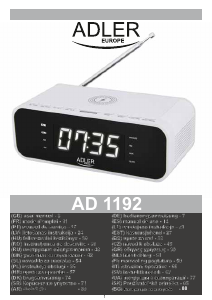
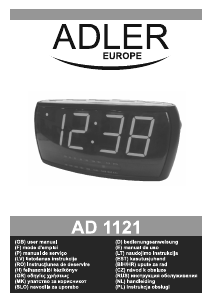
Manual Adler AD 1192 Radio cu ceas

Produse asemanatoare

Categorii relevante

×
Download