
4
injury or damage to the device.+
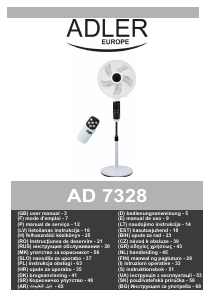
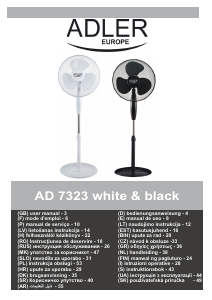
Product description: FAN AD7328 - look at page 2
1. Front guard 2. Guard ring
3. Propeller nut 4. Propeller
5. Guard nut 6. Rear guard
7. Motor housing 8. Stand
9. Stand nut 10. Outer pipe
11. Base 12. Spacer
13. Screw 14. Pipe knob
15. Inner pipe 16. Remote control
17. Control panel
Assembling
1. Unscrew the screw (13) from stand (10), take out the spacer (12) and screw (13).
2. Install the screw (13) with spacer (12) through base (11) hole to connect the outer pipe (10), tight screw (13).
3. Set the base (11) on a flat and dry surface. Unscrew the stand nut (9), slide the inside pipe (15) from the outer pipe (10). Pull out the
Inner Pipe (15) all the way to the top. You may have to push it up from the bottom to get it up.
4. Install the stand nut (9) and tighten by turning clockwise.
5. Place the stand (8) into the top of the inner pipe (15), tighten the pipe knob (14).
6. Unscrew the guard nut (5) on the front of the motor housing (7) by turning counterclockwise.
7. Mount the guard back (6) to the motor front cover by matching 3 holes on the guard to the 3 round positioning bolts on the motor front
cover. Push in firmly until the 3 bolts will protrude through the 3 holes.
8. Place and tighten the guard nut (5) by turning the nut clockwise to hold the rear guard (6) in place.
9. Put the propeller (4) onto the motor shaft by matching the shafts slots with the propeller slot, tighten the propeller (4) with propeller cap
(3) by turning it counterclockwise.
10. Test fan by rotating the propeller (4) with your hands, make sure there it isn’t any contact with the nut. The propeller (4) should rotate
freely.
11. Mount the front guard (1) onto the rear guard (6) by guard ring (2), then tighten the screw and close latches.
Control panel (17) and remote control (16) description:
A. Mode button B. Timer button
C. ON / SPEED button D. OFF button
E. SWING BUTTON F. LAMP BUTTON
G. Timer indicators (0.5h, 1h , 2h, 4h) H. Fan speed indicator (speed, high, middle, low)
J. Sleep mode indicator K. Nature mode indicator
L. Oscillation indicator
OPERATION
1. Place the device on flat and dry surface.
2. Plug the power cord into a standard AC 220-240V wall outlet.
3. Press the button “SPEED/ON” (C) to switch on the device and press it again to select desired speed:
HIG – means fast fan speed
MED – means middle fan speed
LOW – means slow fan speed
Proper indicator (H) will be displayed on control panel (17).
4. Press the button “OFF” (D) to turn the device off.
5. Press the button “SWING” (E) to start or stop the fan head oscillating in the left side and in the right side. Indicator (L) will be displayed
on control panel (17).
6. Press the button alternately “MODE” (A) on the remote control (16) repeatedly to choice between
- NATURAL mode, the indicator (K) will be lighted up. When you select low speed, the fan will work 5 seconds and stop 5 seconds, and
those cycles will be repeated all the time. When you select medium speed, the fan will work at medium speed for 5 seconds and next 5
seconds at lower speed, and those cycles will be repeated all the time. When you select high speed, the fan will work at high speed for 5
seconds, and next 5 seconds at medium speed, and those cycles will be repeated all the time.
- SLEEP mode, the indicator (J) will be lighted up. When you select desired fan speed (low or medium or high speed), the motor will
works 5 seconds, and stops 5 seconds, and works 5 seconds, stop 5 seconds, such cycles will be repeated up to change the mode or
shut off the device.
- NORMAL mode means continuous fan operation when no indicator is lighted up (neither NATURAL (K) nor SLEEP (J) mode.
The choice of mode is not available through hand operation of control panel (17). It is available from remote control (16) only.
7.Press the button “TIMER” (B) repeatedly to select desired time after which the device will shut off automatically. The period can be set
from 0,5 hour to max. 7,5 hours. Proper combination of indicators (G) will be displayed on control panel (17) after you set up desired
time.
8. When the device is plug in, it is operating in stand-by mode (fan is not rotating), the control panel (17) is not lighted up. Press the
button “LAMP” (F) on the remote control (16) to light up indicators or press it again to finish lighting up.
Cleaning and maintenance
1. Always unplug the device before cleaning. Lift the latches and unscrew one screw on the guard ring (2) to remove the front guard (1).
Assemble again in proper way after cleaning up and before next use.
2. Use a soft cloth, moistened with a mild detergent, to clean propeller and guard. DO NOT use abrasive cleaners.
3. DO NOT immerse the motor housing (7) in water and never allow water to dip into the motor component.
4. DO NOT use gasoline, thinner or other chemicals to clean the fan.
5. Store in dry place covered against the dust access.
Technical data:
Power: 60W
MAX Power: 120W
Voltage:220-240V ~50-60Hz


Alăturați-vă conversației despre acest produs
Aici puteți împărtăși ce părere aveți despre Adler AD 7328 Ventilator. Dacă aveți o întrebare, citiți mai întâi cu atenție manualul. Solicitarea unui manual se poate face folosind formularul nostru de contact.