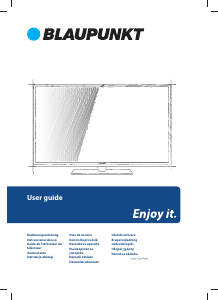
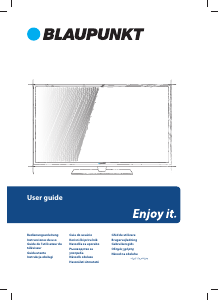
Manual Blaupunkt 32/133I-WB-11B-HBKUP-EU Televizor LED

Ai nevoie de un manual pentru Blaupunkt 32/133I-WB-11B-HBKUP-EU Televizor LED? Mai jos puteți vizualiza și descărca manualul PDF gratuit în limba română. Acest produs are în prezent 12 întrebări frecvente, 3 comentarii și are 3 voturi cu o evaluare medie a produsului de 0/100. Dacă acesta nu este manualul dorit, vă rugăm să ne contactați.

Produsul dvs. s-a defectat și manualul nu oferă nicio soluție? Mergeți la Repair Café pentru servicii de reparații gratuite.

Manual

Loading…
EN
Important safety instructions
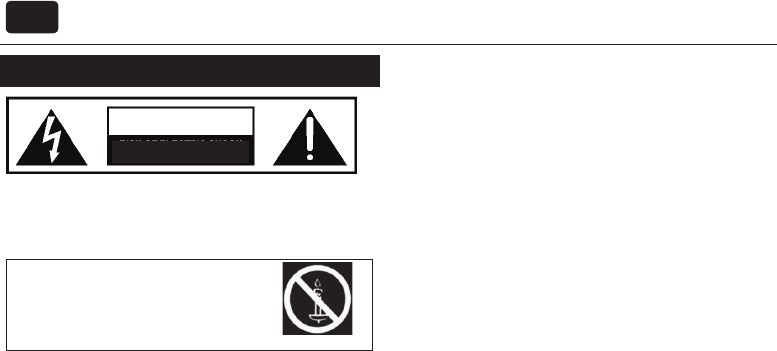
CAUTION
RISK OF ELECTRIC SHOCK
DO NOT OPEN
Please, read these safety instructions and respect
the following warnings before the appliance is
operated:
In order to prevent  re
spread, always keep candles
and other open  ames away
from this product.
TV with the weight of more than 20 kg must be lifted and carried by at
least two people.
Be careful! This TV does not contain any parts which could be repaired
by the user. In case of afault, contact the producer or the authorized
service. The contact with certain parts inside the appliance might
endanger your life. The guarantee is not provided for the faults caused
by non-professional interactions!
Do not remove the rear part of the appliance.
This appliance is designed for receiving and reproduction of video and
sound signals. Any other use is strictly forbidden.
The ideal distance to watch TV is approximately  ve times longer of the
diagonal of the screen The light striking upon the screen from other light
sources can cause re ections and make the quality of the picture worse.
Please, ensure the su cient ventilation and appropriate distance of the
appliance from other pieces of furniture.
Install the product at least 5 cm from the wall for ventilation.
The apparatus shall be used in moderate climates only.
The TV set is designed exclusively for the operation in adry place. When
using the appliance outside, please, make sure it is protected against
moisture (rain, splashing water). Never expose the appliance to moisture.
Do not place any containers with water on the appliance, such as vases,
etc. These containers might get pushed over, which would endanger
electric safety. Place the appliance exclusively on  at and stable surfaces.
Do not place any objects such as newspaper or blankets, etc. on or under
the appliance.
Make sure the appliance does not stand on any power cables as they
might get damaged. Mobile phones and other devices such as WLAN
adapters, monitoring cameras with wireless signal transmission, etc.
might cause electromagnetic interference and they should not be
placed near the appliance.
Do not place the appliance near heating elements or in aplace with
direct sunshine as it has anegative e ect on cooling of the appliance.
Heat storage is dangerous and it can seriously reduce the lifetime of
the appliance. In order to ensure the safety, ask the quali ed person to
remove the dirt from the appliance.
Try to prevent the mains cable or (if it is part of delivery) mains adapter
damage. The appliance can only be connected with asupplied mains
cable/adapter.
Storms are dangerous for all electric appliances. If the mains or aerial wir-
ing is struck by the lightening, the appliance might get damaged, even if
it is turned o . Thus you should disconnect all the cables and connectors
of the appliance before the storm.
To clean the screen of the appliance use only adamp and soft cloth. Use
only clean water, never detergents or in no case dissolvents.
Position the TV close to the wall to avoid the possibility of it falling when
pushed.
The instructions shown below are asafer way to set up the TV, by fixing
it t
o the wall, avoiding the possibility of it falling forwards if pulled. This
will prevent the TV from falling forward and causing injury. This will also
prevent the TV from damage.
This method is used if the TV is placed on aglass surface or you do not
wish to screw anything into your furniture.
Ensure that children do not climb or hang onto the TV.
For this type of installation you will need afastening chord
A) Using one/both of the top wall-mounting holes and screws (the
screws are already supplied in the wall mounting holes) fasten one end
of the fastening chord/sto the TV.
B) Secure the other end of the fastening chord/sto your wall.
To use this model TV as aPC/laptop monitor it will need to be connected
via the VGA input, it cannot be used as aPC/laptop monitor via the HDMI
input. The HDMI Input is provided to view digital content with compat-
ible external devices.
The software on your TV and the OSD layout can be changed without
notice.
Warning:
Never connect any external devices to alive appliance. Switch o not
only the TV but also the devices which are being connected! Plug the
appliance plug into the wall outlet after connecting the external devices
and the aerial!
Always make sure there is free access to the appliance main switch and
to its mains plug.
The appliance is not designed for ause in aworkplace  tted with
monitors.
The systematic use of headphones at high volume might lead to irrevers-
ible hearing damage.
Ensure environmental disposal of this appliance and any components
including batteries. When in doubt, please, contact your local authority
for details of recycling.
While installing the appliance, do not forget that furniture surfaces are
treated with various varnishes, plastics, etc. or they might be polished.
The additions contained in these products might cause destruction of
base material of appliance stand. This will result in the holdovers of this
material stuck to the furniture surface, which are di cult to remove, if
not even impossible.
The screen of your TV responds to the top quality requirements and it
was checked in details for accidental faulty pixels several times. Due to
the technological properties of the manufacturing process, it is not pos-
sible to eliminate the existence of asmall number of faulty points on the
screen for 100% (even with maximum care while production provided).
These faulty pixels are not considered faults in terms of guarantee
conditions, if their extent is not greater than the boundaries de ned by
DIN norm.
Important information regarding use of video
games, computers, captions and other  xed image
displays.
The extended use of  xed image program material can cause aper-
manent “shadow image “ on LCD screen (this is sometimes incorrectly
referred to as “burnout to the screen“). This shadow image is then
permanently visible on the screen in the background. It is apartly
irreversible damage. You can avoid such adamage by respecting the
following instructions:
Reduce the brightness/contrast setting to aminimum viewing level.
Do not display the  xed image for along period of time. Avoid display-
ing of:
» Teletext time and charts,
» TV/DVD menu, e.g. DVD contents,
» In the „Pause“ mode (hold): Do not use this mode for along time,
e.g. while watching aDVD or avideo.
» Turn o the appliance if you are not using it.
If the supply cord is damaged, it must be replaced by the
manufacturer, its service agent or similarly qualified persons in order
to avoid a hazard.
Descărcaţi manualul în limba română (PDF, 1.65 MB)
(Protejați mediul înconjurător și imprimați acest manual numai dacă este neapărată nevoie)

Loading…

Evaluare

Spuneți-ne ce părere aveți despre Blaupunkt 32/133I-WB-11B-HBKUP-EU Televizor LED, lăsând o evaluare a produsului. Doriți să împărtășiți experiența dvs. cu acest produs sau să adresați o întrebare? Lăsați un comentariu în partea de jos a paginii.
Ești mulțumit de Blaupunkt 32/133I-WB-11B-HBKUP-EU Televizor LED?
Da Nu
0%
100%
3 voturi

Alăturați-vă conversației despre acest produs

Aici puteți împărtăși ce părere aveți despre Blaupunkt 32/133I-WB-11B-HBKUP-EU Televizor LED. Dacă aveți o întrebare, citiți mai întâi cu atenție manualul. Solicitarea unui manual se poate face folosind formularul nostru de contact.

[email protected] 28-09-2022
Televizorul meu Blaupunkt spune întotdeauna „fără semnal” (fondul este albastru) Cum îmi pot obține programul?

răspuns | A fost util (3) (Tradus de Google)
Udo Kopplin 14-11-2022
Buna ziua, dacă am setat canale gratuite numai în timpul căutării canalelor, canalele negratuite tot nu sunt găsite, Pe care apoi trebuie să o sar peste tot. Salut

răspuns | A fost util (0) (Tradus de Google)
Ladislav Salatnaj 09-12-2025
Este posibil să puneți un card plustelka în acest televizor?

răspuns | A fost util (0) (Tradus de Google)

Mai multe despre acest manual

Înțelegem că este plăcut să aveți un manual pe hârtie pentru Blaupunkt 32/133I-WB-11B-HBKUP-EU Televizor LED. Puteți oricând descărca manualul de pe site-ul nostru web și îl puteți imprima singur. Dacă doriți să aveți un manual original, vă recomandăm să contactați Blaupunkt. S-ar putea să ofere un manual original. Căutați manualul dvs. Blaupunkt 32/133I-WB-11B-HBKUP-EU Televizor LED într-o altă limbă? Alegeți limba preferată pe pagina noastră de pornire și căutați numărul de model pentru a vedea dacă îl avem disponibil.

Specificații

Marcă Blaupunkt
Model 32/133I-WB-11B-HBKUP-EU
Categorie Televizoare LED
Tip fișier PDF
Mărime fișier 1.65 MB

Toate manualele pentru Blaupunkt Televizoare LED
Mai multe manuale pentru Televizoare LED

Întrebări frecvente despre Blaupunkt 32/133I-WB-11B-HBKUP-EU Televizor LED

Echipa noastră de asistență caută informații utile despre produs și răspunde la întrebările frecvente. Dacă descoperiți o inexactitate în întrebările frecvente, vă rugăm să ne anunțați utilizând formularul de contact.

Cum conectez o telecomandă universală la televizor? Verificat

Pentru a vă conecta telecomanda universală, aveți nevoie de numărul modelului și de marca atât a telecomenzii, cât și a televizorului. Există o listă de coduri pentru mărci și numere de model în manualul telecomenzii.

A fost util (5072) Citeşte mai mult

Vreau să conectez un difuzor la televizorul meu LED cu HDMI, ce port ar trebui să folosesc? Verificat

Trebuie să utilizați portul HDMI-ARC, care este special creat pentru conectarea echipamentelor audio.

A fost util (2361) Citeşte mai mult

Contează la ce port HDMI îmi conectez dispozitivul? Verificat

În general, puteți conecta un dispozitiv precum un player Blu-ray sau o consolă de jocuri la orice port HDMI. Dispozitivul poate fi apoi utilizat prin selectarea canalului HDMI corespunzător de pe televizor.

A fost util (1186) Citeşte mai mult

Cum măsoară centimetrii televizorului meu LED? Verificat

Măsurarea centimetrilor pe televizorul dvs. LED se face prin măsurarea distanței diagonale între, de exemplu, colțul din stânga sus și colțul din dreapta jos al ecranului (nu marginea). Un inch este egal cu 2,54 centimetri, deci atunci când măsurați 99 de centimetri, acest lucru înseamnă că televizorul dvs. LED are 39 de inci.

A fost util (941) Citeşte mai mult

Telecomanda mea va funcționa și pe alte modele de televiziune de aceeași marcă? Verificat

Adesea, telecomanda unui televizor va funcționa și pe modele similare ale aceluiași brand. Cu toate acestea, este neobișnuit să funcționeze pe toate modelele acelui brand. Telecomandele universale sunt mai potrivite pentru a face acest lucru.

A fost util (666) Citeşte mai mult

Care este diferența dintre LCD și LED? Verificat

Ambele tehnici folosesc un ecran LCD care nu emite lumină de la sine. Diferența constă în iluminarea din spatele ecranului. Cu ecranele LCD, acest lucru este realizat de CCFL (lampă fluorescentă cu catod rece), iar LED-ul folosește luminile LED.

A fost util (531) Citeşte mai mult

Ce înseamnă HDMI? Verificat

HDMI înseamnă High-Definition Multimedia Interface. HDMI este o conexiune pentru a trimite videoclipuri și audio de înaltă calitate de la un dispozitiv la altul.

A fost util (456) Citeşte mai mult

Pot repara singur un pixel mort? Verificat

Există o diferență între un pixel mort și un pixel blocat. Un pixel blocat este încă colorat și poate fi fixat aplicând o presiune ușoară exact pe pixel până când se restabilește. Un pixel mort este întotdeauna negru sau alb și nu poate fi reparat de unul singur.

A fost util (424) Citeşte mai mult

Care este raportul de contrast? Verificat

Raportul de contrast arată cât de departe este albul cel mai alb de cel mai negru negru. Un raport de contrast de exemplu 400: 1 înseamnă că cel mai negru negru de pe ecran este de 400 de ori mai întunecat decât cel mai alb. Un raport de contrast ridicat contribuie la claritatea imaginii.

A fost util (402) Citeşte mai mult

Care este distanța optimă de vizionare pentru televizorul meu? Verificat

Acest lucru depinde parțial de preferințele personale, dar, de regulă, distanța optimă de vizionare este de aproximativ 3x dimensiunea diagonală a ecranului televizorului. Pentru un televizor de 60 inch (152cm) distanța optimă de vizionare ar fi de 180 inch sau aproximativ 4,5 metri.

A fost util (353) Citeşte mai mult

Cum pot curăța corect televizorul cu LED-uri? Verificat

Opriți televizorul și ștergeți praful și murdăria de pe ecran cu o cârpă din microfibră. Nu utilizați hârtie, aceasta poate provoca zgârieturi. Nu aplicați prea multă presiune sau puteți provoca daune pixelilor. Folosiți un detergent specializat sau preparați-l amestecând 1 parte de oțet cu 1 parte de apă. Umeziți cârpa cu detergentul și curățați ecranul. Asigurați-vă că pânza nu este prea umedă. Îndepărtați petele făcând mișcări de rotație. Uscați ecranul cu o a doua cârpă din microfibră pentru a preveni dungile.

A fost util (352) Citeşte mai mult

De ce sunt litere lângă numerele de pe telecomandă? Verificat

Anumite setări ale televizorului pot necesita introducerea literelor. Există, de obicei, trei litere sau alte caractere pe un buton. Când este necesară introducerea literelor, puteți apăsa butonul o dată pentru prima literă, apăsați de două ori pentru a doua literă și apăsați de 3 ori pentru a treia literă. În acest fel, textul poate fi scris cu un număr minim de butoane.

A fost util (352) Citeşte mai mult
Manual Blaupunkt 32/133I-WB-11B-HBKUP-EU Televizor LED

Produse asemanatoare

Categorii relevante

×
Download