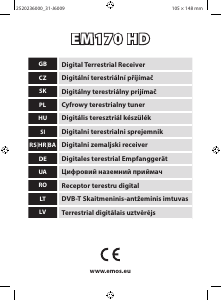
Manual EMOS EM170 HD Receptor digital

Ai nevoie de un manual pentru EMOS EM170 HD Receptor digital? Mai jos puteți vizualiza și descărca manualul PDF gratuit în limba română. Acest produs are în prezent 1 întrebare frecventă, 1 comentariu și are 0 voturi. Dacă acesta nu este manualul dorit, vă rugăm să ne contactați.

Produsul dvs. s-a defectat și manualul nu oferă nicio soluție? Mergeți la Repair Café pentru servicii de reparații gratuite.

Manual

Loading…
5
Channel Tuning
Conrm automatic channel search by pushing the OK button. The process may take several minutes.
Once the process is complete, the receiver will automatically switch to the rst channel found and
you can begin watching TV programmes.
Main Menu
Press the MENU button to enter the device's menu.
Programme Settings
Press the MENU button and go to <Programme settings> by using the / buttons, then conrm
with the OK button.
Channel Editing
To edit the properties of your programmes (Lock, Skip, FAV, Move or Delete), you must enter Channel
Editing by pressing the OK button.
The enter password (by default set to 000000).
Setting Favourite TV and Radio Channels (FAV)
You can create a list of your favourite channels for easy access as follows:
Move the cursor to the chosen channel and press the FAV button.
In the menu: As favourite type, select the category in which you want to place the channel, and
conrm with OK.
A channel can be included in multiple categories of your choice.
To conrm and leave, press EXIT.
The channel is then highlighted in the list with a red star icon.
Cancelling the FAV Function:
Move the cursor to the chosen channel and press the FAV button.
Press the FAV button.
Set the cursor to item Ban and conrm with the OK button and then EXIT.
The chosen programme will no longer be highlighted with a red star.
Browsing Favourite Channels
While watching the TV, press the FAV button to open the list of favourite channels.
Move the cursor between favourite channels with the / buttons.
Press OK to select the desired channel.
Skipping TV or Radio Channels
In the Channel Editing menu, select the desired programme using the / buttons and press
the GREEN button.
A green SKIP icon will be shown next to the channel.
Repeat the setting procedure for other channels you wish to skip.
Reverse the procedure to remove the SKIP function.
Removing TV or Radio Channels
In the Channel Editing menu, select the desired programme using the / buttons and press
the BLUE button.
The screen will show: INFORMATION: Do you wish to remove?
Conrm with OK or cancel with EXIT.
Repeat the procedure for other channels.
Moving TV or Radio Channels
In the Channel Editing menu, select the desired programme using the / buttons and press
the RED button.
An orange arrow icon will be shown; use the / buttons to move to the desired position.
Use the OK button to conrm your choice.
Repeat the procedure for other channels.
Locking TV or Radio Channels
You can select channels you wish to lock with a PIN code.
Descărcaţi manualul în limba română (PDF, 1.26 MB)
(Protejați mediul înconjurător și imprimați acest manual numai dacă este neapărată nevoie)

Loading…

Evaluare

Spuneți-ne ce părere aveți despre EMOS EM170 HD Receptor digital, lăsând o evaluare a produsului. Doriți să împărtășiți experiența dvs. cu acest produs sau să adresați o întrebare? Lăsați un comentariu în partea de jos a paginii.
Ești mulțumit de EMOS EM170 HD Receptor digital?
Da Nu
Fiți primul care evaluează acest produs
0 voturi

Alăturați-vă conversației despre acest produs

Aici puteți împărtăși ce părere aveți despre EMOS EM170 HD Receptor digital. Dacă aveți o întrebare, citiți mai întâi cu atenție manualul. Solicitarea unui manual se poate face folosind formularul nostru de contact.

Milan Sumilas 02-03-2026
Vă cer instrucțiunile de utilizare

răspuns | A fost util (0) (Tradus de Google)

Mai multe despre acest manual

Înțelegem că este plăcut să aveți un manual pe hârtie pentru EMOS EM170 HD Receptor digital. Puteți oricând descărca manualul de pe site-ul nostru web și îl puteți imprima singur. Dacă doriți să aveți un manual original, vă recomandăm să contactați EMOS. S-ar putea să ofere un manual original. Căutați manualul dvs. EMOS EM170 HD Receptor digital într-o altă limbă? Alegeți limba preferată pe pagina noastră de pornire și căutați numărul de model pentru a vedea dacă îl avem disponibil.

Specificații

Marcă EMOS
Model EM170 HD
Categorie Receptoare digital
Tip fișier PDF
Mărime fișier 1.26 MB

Toate manualele pentru EMOS Receptoare digital
Mai multe manuale pentru Receptoare digital

Întrebări frecvente despre EMOS EM170 HD Receptor digital

Echipa noastră de asistență caută informații utile despre produs și răspunde la întrebările frecvente. Dacă descoperiți o inexactitate în întrebările frecvente, vă rugăm să ne anunțați utilizând formularul de contact.

Contează la ce port HDMI îmi conectez receptorul digital? Verificat

În general, puteți conecta un receptor digital la orice port HDMI. Dispozitivul poate fi apoi utilizat prin selectarea canalului HDMI corespunzător de pe televizor.

A fost util (456) Citeşte mai mult
Manual EMOS EM170 HD Receptor digital

Produse asemanatoare

Categorii relevante

×
Download