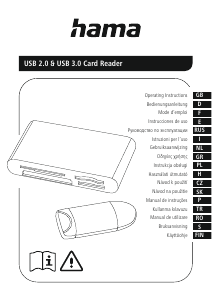
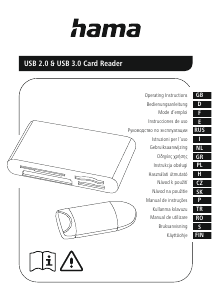
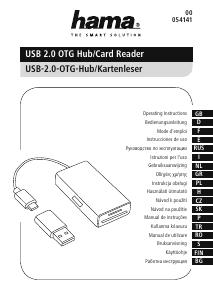
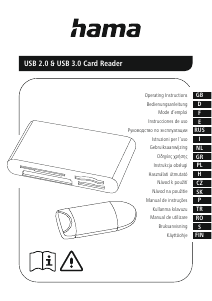
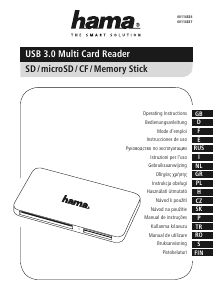
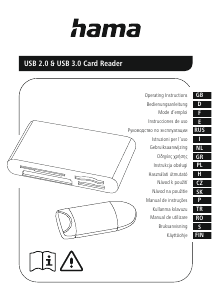
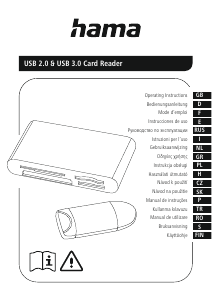
Manual Hama 00123900 Cititor de carduri

Ai nevoie de un manual pentru Hama 00123900 Cititor de carduri? Mai jos puteți vizualiza și descărca manualul PDF gratuit în limba română. Acest produs are în prezent 2 întrebări frecvente, 0 comentarii și are 0 voturi. Dacă acesta nu este manualul dorit, vă rugăm să ne contactați.

Produsul dvs. s-a defectat și manualul nu oferă nicio soluție? Mergeți la Repair Café pentru servicii de reparații gratuite.

Manual

Loading…
2
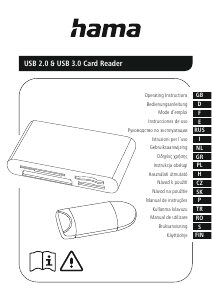
G Operating instructions
Thank you for choosing aHama product.
Take your time and read the following instructionsand information
completely.Please keep theseinstructions in asafe place for
futurereference. If you sellthe device, please pass theseoperating
instructions on to thenew owner.
1. Explanation of Warning Symbols and Notes
Warning
This symbol is used to indicate safety instructionsortodraw your
attention to specichazards and risks.
Note
This symbol is used to indicate additional information or important
notes.
2. Safety Instructions
The product is intended for private, non-commercial use only.
Protect the product from dirt, moistureand overheatingand useitin
dry rooms only.
Do not use the product in the immediate vicinity of heatersorother
heat sources or in direct sunlight.
Do not drop the product and do not exposeitto anymajor shocks.
Do not attempt to serviceorrepairthe product yourself.Leave any
and allservice work to qualied experts.
Do not open the device or continue to operate it if it becomes
damaged.
Dispose of packaging material immediately accordingtolocally
applicable regulations.
Do not modify the product in any way. Doing sovoids thewarranty.
Keep this product, as allelectrical products, out of thereach of
children!
3. System Requirements
TheCardReader supports thefollowing operatingsystems:
Windows 11/10/8/7
Mac OS 10.x or higher
4. Product Features
Note
Youwill nd alist of the supportedcardformats on thepackaging
or at www.hama.com (enter the item number in thesearch).
Please refer to the packaging or our homepage www.hama.
com (enter the item number in the search) to know whether
the cardreader supports UHS-I, UHS-II (SD/microSD)orUDMA
(CompactFlash).
The maximum data transfer rate is achieved whenboth thecard
and the cardreader support UHS-I, UHS-IIorUDMA.
Please refer to the packaging or our homepage www.hama.com
(enter the itemnumber in the search) to know whether the card
reader supports data exchange directly from memory cardto
memory card.
5. Getting started
Note –Compatibility
USB 3.1/3.0 cardreaders aredownwardcompatible withUSB 2.0.
No additional drivers areneeded. The installation runs
automatically.
Plug your memory cardinto the appropriate slot of theCardReader.
Connect the CardReader to an available USB port on your terminal
device.
Youcan now run the data transfer between your terminal deviceand
the memorycard.
Warning –Data Loss
Ensurethat the data transfer is done beforeyou remove amemory
cardfromyour CardReader.
Always use the eject function of your operating system before
you remove amemory cardfromyour CardReader or disconnect
your CardReader (with inserted memory card) from yourterminal
device.
Data loss can´tbeexcluded at disregard!
Under no circumstance does Hama GmbH &CoKGaccept liability
for loss of data stored on data storage media.
6. Care and Maintenance
Only clean this product with aslightly damp, lint-freecloth and do not
use aggressive cleaning agents. Make surethat water does not get into
the product.
7. Exclusion of Warranty
Hama GmbH &CoKGassumes no liability and provides no warrantyfor
damage resulting from improper installation/mounting, improper use of
the product or from failuretoobserve the operating instructions and/
or safety notes.
Descărcaţi manualul în limba română (PDF, 0.33 MB)
(Protejați mediul înconjurător și imprimați acest manual numai dacă este neapărată nevoie)

Loading…

Evaluare

Spuneți-ne ce părere aveți despre Hama 00123900 Cititor de carduri, lăsând o evaluare a produsului. Doriți să împărtășiți experiența dvs. cu acest produs sau să adresați o întrebare? Lăsați un comentariu în partea de jos a paginii.
Ești mulțumit de Hama 00123900 Cititor de carduri?
Da Nu
Fiți primul care evaluează acest produs
0 voturi

Alăturați-vă conversației despre acest produs

Aici puteți împărtăși ce părere aveți despre Hama 00123900 Cititor de carduri. Dacă aveți o întrebare, citiți mai întâi cu atenție manualul. Solicitarea unui manual se poate face folosind formularul nostru de contact.

Mai multe despre acest manual

Înțelegem că este plăcut să aveți un manual pe hârtie pentru Hama 00123900 Cititor de carduri. Puteți oricând descărca manualul de pe site-ul nostru web și îl puteți imprima singur. Dacă doriți să aveți un manual original, vă recomandăm să contactați Hama. S-ar putea să ofere un manual original. Căutați manualul dvs. Hama 00123900 Cititor de carduri într-o altă limbă? Alegeți limba preferată pe pagina noastră de pornire și căutați numărul de model pentru a vedea dacă îl avem disponibil.

Specificații

Marcă Hama
Model 00123900
Categorie Cititoare de carduri
Tip fișier PDF
Mărime fișier 0.33 MB

Toate manualele pentru Hama Cititoare de carduri
Mai multe manuale pentru Cititoare de carduri

Întrebări frecvente despre Hama 00123900 Cititor de carduri

Echipa noastră de asistență caută informații utile despre produs și răspunde la întrebările frecvente. Dacă descoperiți o inexactitate în întrebările frecvente, vă rugăm să ne anunțați utilizând formularul de contact.

Ce înseamnă SD? Verificat

SD înseamnă Secure Digital. Cardurile SD sunt mediul de stocare standard pentru multe camere digitale.

A fost util (60) Citeşte mai mult

Ce înseamnă USB? Verificat

USB înseamnă Universal Serial Bus. Este un standard de conexiune care este utilizat pentru conectarea dispozitivelor la un computer.

A fost util (19) Citeşte mai mult
Manual Hama 00123900 Cititor de carduri

Produse asemanatoare

Categorii relevante

×
Download