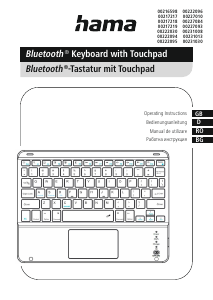
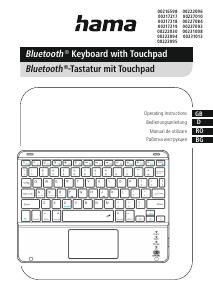
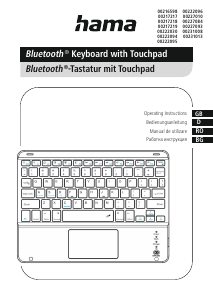
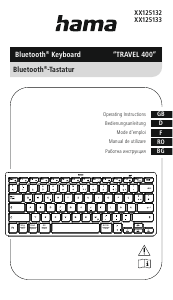
Manual Hama 00125132 Travel 400 Tastatură

Ai nevoie de un manual pentru Hama 00125132 Travel 400 Tastatură? Mai jos puteți vizualiza și descărca manualul PDF gratuit în limba română. Acest produs are în prezent 2 întrebări frecvente, 0 comentarii și are 0 voturi. Dacă acesta nu este manualul dorit, vă rugăm să ne contactați.

Produsul dvs. s-a defectat și manualul nu oferă nicio soluție? Mergeți la Repair Café pentru servicii de reparații gratuite.

Manual

Loading…
3
Warning -Batteries
•Remove the batteries from products that arenot
being used for an extended period (unless these
arebeing kept ready for an emergency).
•Donot short-circuit batteries.
•Donot charge batteries.
•Donot burn batteries.
•Keep batteries out of the reach of children.
•Never open, damage or swallow batteries or allow
them to enter the environment. They can contain
toxic, environmentally harmful heavy metals.
•Remove spent batteries from the product and
dispose of them without delay.
•Avoid storing, charging andusing in extreme
temperatures and at extremely low atmospheric
pressures (such as at high altitudes).
•The two AAA batteries arealready inserted with
the correct polarity in the battery compartment (4).
Only remove the contact protection.
•Ifthe battery capacity is low,the Bluetooth
®
connection /battery capacity status LED (1) starts
to ash redduring operation. Replace the batteries
immediately as described above.
6. Operation
Note
•The functions described in this section areonly
possible with Bluetooth
®
-enabled devices.
•Note that the maximum range for Bluetooth
is 10 metres without obstacles such as walls,
people, etc.
6.1 Bluetooth
®
initial connection (pairing)
Note -pairing
•Ensurethat the Bluetooth
®
-enabled device is
switched on and that the Bluetooth
®
function
is activated.
•Make surethat your Bluetooth
®
-enabled device
is visible to other Bluetooth
®
devices.
•Please refer to the operating instructions of
your device for moreinformation.
The position of the switch is already set to ON.The
keypad is switched on when thecontact protection
is removed.
•Press and hold the [CONNECT]button (3) until
theBluetooth
®
connection /battery capacity
status LED (1) starts to ash redcontinuously.The
keyboardsearches for aBluetooth
®
connection.
•Open the Bluetooth
®
settings on your device and
wait until the list of foundBluetooth
®
devices
shows Hama Travel 400.
•Select Hama Travel 400,follow the instructions
of your end device if necessaryand waituntil
thekeyboardisdisplayed as connected in the
Bluetooth
®
settings of your device. The Bluetooth
®
connection /battery capacity status LED(1)
goes out.
•You can now use the Bluetooth
®
keyboard.
6.2 Automatic Bluetooth
®
connection
(once pairing hasbeen performed)
Note
•Ensurethat the Bluetooth
®
-enabled device is
switched on and that theBluetooth
®
function
is activated.
•Make surethat your Bluetooth
®
-enabled device
is visible tootherBluetooth
®
devices.
•Please refer to the operating instructions of
your device for moreinformation.
•Slide the [OFF/ON] switch (2) to the ON position
to switch on the Bluetooth® keyboard. The
Bluetooth
®
connection /battery capacity status
LED (1) ashes red.
•You can now use theBluetooth
®
keyboard.
Note -connection impaired
After asuccessful initial pairing, the connection
is established automatically.Ifthe Bluetooth
®
connection is not established automatically,check
the following:
•Inyour device's Bluetooth
®
settings, check that
Hama Travel 400 is connected.Ifnot,repeat
the steps described in 6.1. Bluetooth
®
initial
connection.
•Check whether obstacles areimpairing the
range. If so, move the devices closer together.
Descărcaţi manualul în limba română (PDF, 0.7 MB)
(Protejați mediul înconjurător și imprimați acest manual numai dacă este neapărată nevoie)

Loading…

Evaluare

Spuneți-ne ce părere aveți despre Hama 00125132 Travel 400 Tastatură, lăsând o evaluare a produsului. Doriți să împărtășiți experiența dvs. cu acest produs sau să adresați o întrebare? Lăsați un comentariu în partea de jos a paginii.
Ești mulțumit de Hama 00125132 Travel 400 Tastatură?
Da Nu
Fiți primul care evaluează acest produs
0 voturi

Alăturați-vă conversației despre acest produs

Aici puteți împărtăși ce părere aveți despre Hama 00125132 Travel 400 Tastatură. Dacă aveți o întrebare, citiți mai întâi cu atenție manualul. Solicitarea unui manual se poate face folosind formularul nostru de contact.

Mai multe despre acest manual

Înțelegem că este plăcut să aveți un manual pe hârtie pentru Hama 00125132 Travel 400 Tastatură. Puteți oricând descărca manualul de pe site-ul nostru web și îl puteți imprima singur. Dacă doriți să aveți un manual original, vă recomandăm să contactați Hama. S-ar putea să ofere un manual original. Căutați manualul dvs. Hama 00125132 Travel 400 Tastatură într-o altă limbă? Alegeți limba preferată pe pagina noastră de pornire și căutați numărul de model pentru a vedea dacă îl avem disponibil.

Specificații

Marcă Hama
Model 00125132 Travel 400
Categorie Tastaturi
Tip fișier PDF
Mărime fișier 0.7 MB

Toate manualele pentru Hama Tastaturi
Mai multe manuale pentru Tastaturi

Întrebări frecvente despre Hama 00125132 Travel 400 Tastatură

Echipa noastră de asistență caută informații utile despre produs și răspunde la întrebările frecvente. Dacă descoperiți o inexactitate în întrebările frecvente, vă rugăm să ne anunțați utilizând formularul de contact.

Literele de pe tastatură nu se află în locurile cu care sunt obișnuit, de ce este asta? Verificat

Majoritatea tastaturilor folosesc un aspect QWERTY, reprezentând primele șase litere de pe tastatură. Cu toate acestea, există aspecte de tastatură diferite, care corespund nevoilor specifice unei anumite limbi. De asemenea, este posibil ca tastele tastaturii să fi fost schimbate. Mai ales în cazul tastaturilor mai vechi, acest lucru este ușor de făcut.

A fost util (1364) Citeşte mai mult

Care este cel mai bun mod de a-mi curăța tastatura Verificat

Nu introduceți niciodată obiecte între marginile tastelor, deoarece aceasta va împinge în principal murdăria și va deteriora tastatura. Cel mai bine este să curățați tastatura cu aer comprimat, păstrând în același timp tastatura cu capul în jos. Partea superioară a tastelor poate fi curățată cu o cârpă ușor umedă.

A fost util (204) Citeşte mai mult
Manual Hama 00125132 Travel 400 Tastatură

Produse asemanatoare

Categorii relevante

×
Download