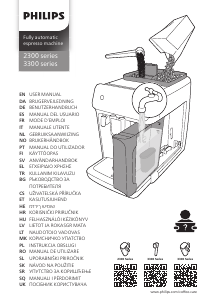
Manual Philips EP3349 Espressor

Ai nevoie de un manual pentru Philips EP3349 Espressor? Mai jos puteți vizualiza și descărca manualul PDF gratuit în limba română. Acest produs are în prezent 2 întrebări frecvente, 3 comentarii și are 5 voturi cu o evaluare medie a produsului de 40/100. Dacă acesta nu este manualul dorit, vă rugăm să ne contactați.

Produsul dvs. s-a defectat și manualul nu oferă nicio soluție? Mergeți la Repair Café pentru servicii de reparații gratuite.

Manual

Loading…
10
English
Before you start programming the quantity of a milk drink, assemble LatteGo and pour milk in it.
1 To adjust the highest quantity setting, press and hold the icon of the drink you want to adjust for 3
seconds.
-
The upper light of the drinks quantity icon and the upper light of the milk quantity icon (specific types
only) starts to pulse and the start/stop button starts to pulse, indicating that you are in
programming mode.
2 Press the start/stop button. The machine starts to brew the selected beverage.
-
The start light lights up continuously at first. When the machine is ready to store the adjusted volume,
the start/stop light starts to pulse.
3 Press the start/stop button again when the cup contains the desired quantity of coffee or milk.
-
In case of cappuccino or latte macchiato, first the milk will be dispensed. Press the start/stop button
when the cup contains the desired milk quantity. The machine automatically starts dispensing the
coffee. Press the start/stop button again when the cup contains the desired quantity.
After you have programmed the new highest default quantity for a drink, the machine will dispense this
new amount each time you select the highest quantity of this drink.
You can only adjust the highest default quantity level.
If you want to go back to the default quantity settings, see ' Restoring factory settings'.
Adjusting the coffee temperature
Machines without temperature icon
1 Press the on/off button to switch off the machine.
2 When the machine is switched off: press and hold the coffee quantity icon until the lights in this icon go
on (Fig. 21).
3 Tap the quantity icon to select the required temperature: normal, high or max.
-
Respectively 1, 2 or 3 lights are on.
4 When you have finished setting the coffee temperature, press the start/stop button.
5 Press the on/off button to switch on the machine again.
If you do not switch off the machine yourself, it will switch off automatically after some time.
Machines with temperature icon (EP3300 only)
1 Select the drink of your choice.
2 Tap the coffee temperature icon repeatedly to select the desired temperature.
Restoring factory settings
The machine offers you the possibility to restore the drinks default settings at any moment.
You can only restore the default settings when the machine is switched off.
1 Press the on/off button to switch the machine off.
2 Press and hold the espresso icon for 3 seconds.
-
The middle lights in the drink setting icons light up. The start/stop light starts to pulse, indicating that the
settings are ready to be restored.
3 Press the start/stop button to confirm you want to restore the settings.
4 Press the on/off button to switch on the machine again.
Descărcaţi manualul în limba română (PDF, 10.39 MB)
(Protejați mediul înconjurător și imprimați acest manual numai dacă este neapărată nevoie)

Loading…

Evaluare

Spuneți-ne ce părere aveți despre Philips EP3349 Espressor, lăsând o evaluare a produsului. Doriți să împărtășiți experiența dvs. cu acest produs sau să adresați o întrebare? Lăsați un comentariu în partea de jos a paginii.
Ești mulțumit de Philips EP3349 Espressor?
Da Nu
40%
60%
5 voturi

Alăturați-vă conversației despre acest produs

Aici puteți împărtăși ce părere aveți despre Philips EP3349 Espressor. Dacă aveți o întrebare, citiți mai întâi cu atenție manualul. Solicitarea unui manual se poate face folosind formularul nostru de contact.

Josef Flasar 15-08-2025
Nu este posibil să descărcați manualul de pe EP3349.

răspuns | A fost util (1) Citeşte mai mult (Tradus de Google)
Josef Flasar 16-08-2025
Din nou, nu a descărcat Manua. Așa că puneți -l în fund și nu dați o referire la descărcare.

A fost util (0) (Tradus de Google)
Touchez Cypriana 08-03-2026
Bună ziua, cum se schimbă temporizatorul de oprire (actual la 30 de minute) Phillips EP 3349 Multumesc

răspuns | A fost util (0) (Tradus de Google)

Mai multe despre acest manual

Înțelegem că este plăcut să aveți un manual pe hârtie pentru Philips EP3349 Espressor. Puteți oricând descărca manualul de pe site-ul nostru web și îl puteți imprima singur. Dacă doriți să aveți un manual original, vă recomandăm să contactați Philips. S-ar putea să ofere un manual original. Căutați manualul dvs. Philips EP3349 Espressor într-o altă limbă? Alegeți limba preferată pe pagina noastră de pornire și căutați numărul de model pentru a vedea dacă îl avem disponibil.

Specificații

Marcă Philips
Model EP3349
Categorie Espressoare
Tip fișier PDF
Mărime fișier 10.39 MB

Toate manualele pentru Philips Espressoare
Mai multe manuale pentru Espressoare

Întrebări frecvente despre Philips EP3349 Espressor

Echipa noastră de asistență caută informații utile despre produs și răspunde la întrebările frecvente. Dacă descoperiți o inexactitate în întrebările frecvente, vă rugăm să ne anunțați utilizând formularul de contact.

Ce spune măcinarea despre cafea? Verificat

Tipul de măcinat determină puternic gustul cafelei. O măcinare mai fină înseamnă în general un gust mai puternic, iar o măcinare mai grosieră înseamnă un gust mai blând. O măcinare foarte fină poate duce la cafea amară.

A fost util (570) Citeşte mai mult

Care este cel mai bun mod de a stoca cafeaua? Verificat

Cafeaua se păstrează cel mai bine într-o cutie curată și etanșă.

A fost util (206) Citeşte mai mult
Manual Philips EP3349 Espressor

Produse asemanatoare

Categorii relevante

×
Download