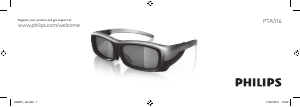
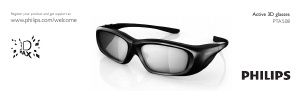
Manual Philips PTA508 Ochelari 3D

Ai nevoie de un manual pentru Philips PTA508 Ochelari 3D? Mai jos puteți vizualiza și descărca manualul PDF gratuit în limba română. Acest produs are în prezent 0 întrebări frecvente, 0 comentarii și are 0 voturi. Dacă acesta nu este manualul dorit, vă rugăm să ne contactați.

Produsul dvs. s-a defectat și manualul nu oferă nicio soluție? Mergeți la Repair Café pentru servicii de reparații gratuite.

Manual

Loading…

4
English
Active 3D glasses PTA508
What’s in the box
- 3D Max active glasses
- Microber pouch
- Manual
See the illustrations at the beginning of the
manual.
1 - A, On or Off switch
2 - Player 1/2, Player 1 or Player 2 selection
3 - Receiver lens
4 - Battery compartment
When you unpack the 3D glasses, also
remove the small plastic foil from the
battery compartment that prevents the
battery from running empty.
Switch on
Switch on your Philips TV and start a 3D
programme. When a 3D programme is
offered, press A on the 3D glasses and put
them on. The glasses need some seconds
to adjust to the 3D signal from the 3D
transmitter on the TV.
Make sure the receiver lens in the centre of
the glasses can receive the 3D signals.
Battery level
You can check the battery level when you
switch on the 3D glasses.
• If the LED light blinks green, you can use
the glasses for 4 hours or more.
• If the LED light blinks orange, you can
use the glasses for at least 2 hours but less
than 4.
• If the LED light blinks red, the battery is
almost empty and less than 2 hours of 3D
watching remain.
Switch off
To switch off the 3D glasses, press A.
The LED light blinks red 4 times. When the
3D glasses do not receive 3D signals for 2
minutes, the glasses switch off automatically.
3D transmitter
Make sure the receiver lens in the centre of
the glasses can receive the 3D signals. Also,
clear objects away from the 3D transmitter
on the TV.
Two-player gaming
You can use these glasses to play two-player
games. Two players can watch the same
TV but see two different screens to play
a game.
To switch the glasses to watch the Player 1
or Player 2 screen, switch on the glasses and
then press the Player 1/2 key.
Descărcaţi manualul în limba română (PDF, 2.47 MB)
(Protejați mediul înconjurător și imprimați acest manual numai dacă este neapărată nevoie)

Loading…

Evaluare

Spuneți-ne ce părere aveți despre Philips PTA508 Ochelari 3D, lăsând o evaluare a produsului. Doriți să împărtășiți experiența dvs. cu acest produs sau să adresați o întrebare? Lăsați un comentariu în partea de jos a paginii.
Ești mulțumit de Philips PTA508 Ochelari 3D?
Da Nu
Fiți primul care evaluează acest produs
0 voturi

Alăturați-vă conversației despre acest produs

Aici puteți împărtăși ce părere aveți despre Philips PTA508 Ochelari 3D. Dacă aveți o întrebare, citiți mai întâi cu atenție manualul. Solicitarea unui manual se poate face folosind formularul nostru de contact.

Mai multe despre acest manual

Înțelegem că este plăcut să aveți un manual pe hârtie pentru Philips PTA508 Ochelari 3D. Puteți oricând descărca manualul de pe site-ul nostru web și îl puteți imprima singur. Dacă doriți să aveți un manual original, vă recomandăm să contactați Philips. S-ar putea să ofere un manual original. Căutați manualul dvs. Philips PTA508 Ochelari 3D într-o altă limbă? Alegeți limba preferată pe pagina noastră de pornire și căutați numărul de model pentru a vedea dacă îl avem disponibil.

Specificații

Marcă Philips
Model PTA508
Categorie Ochelari 3D
Tip fișier PDF
Mărime fișier 2.47 MB

Toate manualele pentru Philips Ochelari 3D
Mai multe manuale pentru Ochelari 3D
Manual Philips PTA508 Ochelari 3D

Produse asemanatoare

Categorii relevante

×
Download