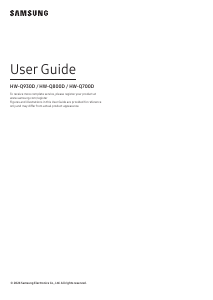
Manual Samsung HW-Q950A Sistemul home cinema

Ai nevoie de un manual pentru Samsung HW-Q950A Sistemul home cinema? Mai jos puteți vizualiza și descărca manualul PDF gratuit în limba română. Acest produs are în prezent 0 întrebări frecvente, 0 comentarii și are 0 voturi. Dacă acesta nu este manualul dorit, vă rugăm să ne contactați.

Produsul dvs. s-a defectat și manualul nu oferă nicio soluție? Mergeți la Repair Café pentru servicii de reparații gratuite.

Manual

Loading…
ENG - 10
7
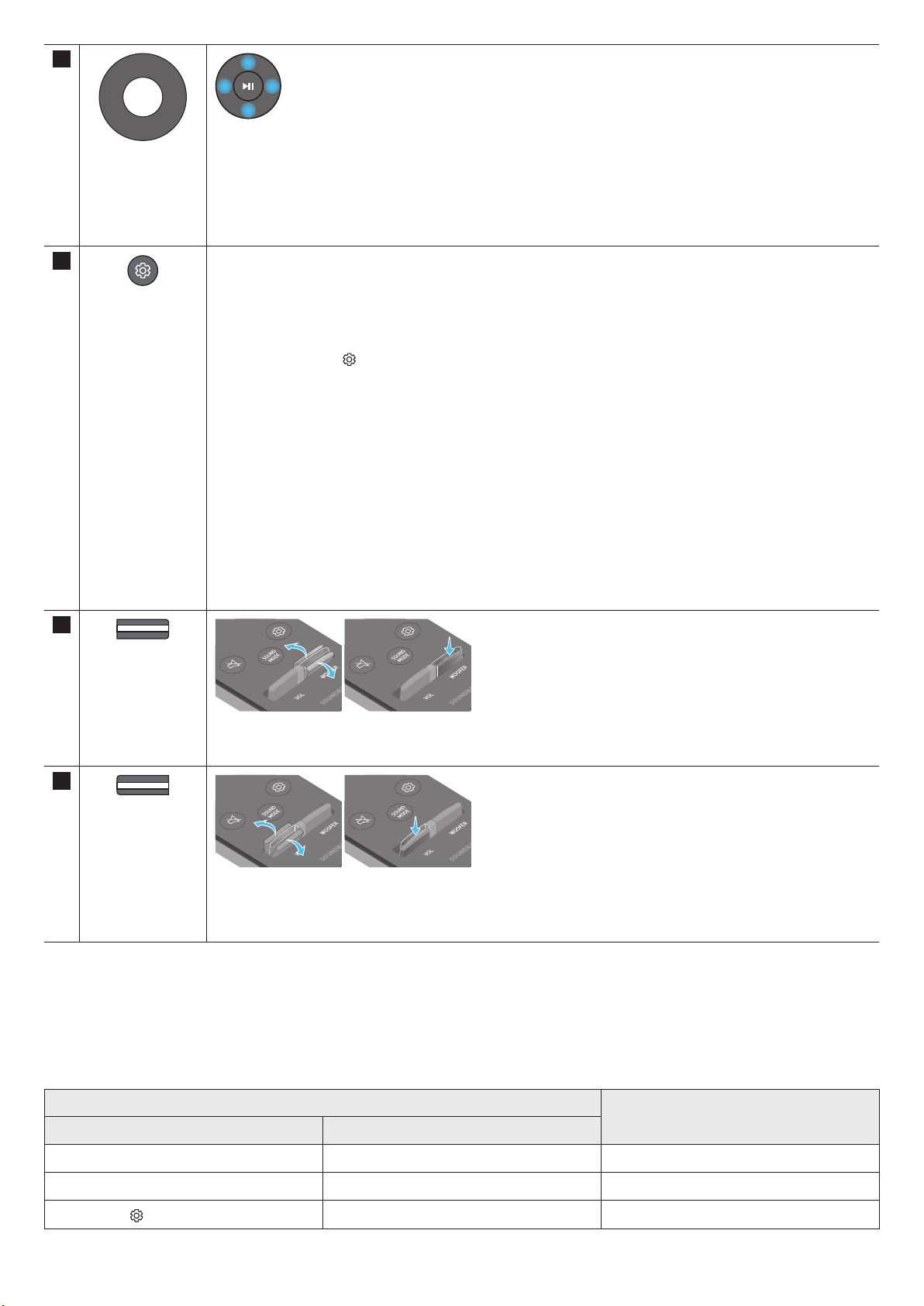
Up/Down/Left/
Right
Press the indicated areas to select Up/Down/Left/Right.
Press Up/Down/Left/Right on the button to select or set functions.
Music Skip
Press the Right button to select the next music le. Press the Left button to select the previous music le.
ID SET
Use this option when the Subwoofer or Surround Speakers are not connected or need reconnection.
While powered off, press and hold the Up button for 5 seconds to perform ID SET. (See page 14.)
8
Sound Control
When pressed, the setting items such as AUTO EQ, AVA, TREBLE, BASS, SYNC, CENTER LEVEL, SIDE LEVEL, FRONT
TOP LEVEL, REAR LEVEL, REAR TOP LEVEL, REAR SIDE LEVEL , and VIRTUAL ON/OFF are displayed in sequence.
The desired item can be adjusted using the Up/Down buttons.
To control the volume of the treble or bass sound, select TREBLE or BASS in Sound Settings, and then adjust
the volume between -6~+6 by using the Up/Down buttons.
Press and hold the
(Sound Control) button for about 5 seconds to adjust the sound for each frequency band.
150Hz, 300Hz, 600Hz, 1.2kHz, 2.5kHz, 5kHz, and 10kHz are selectable using the Left/Right buttons and each
can be adjusted to a setting between -6 to +6 using the Up/Down buttons.
(Make sure the Sound mode is set to STANDARD”.)
To control the volume of the each speaker select CENTER LEVEL, SIDE LEVEL, or FRONT TOP LEVEL in Sound
Settings, and then adjust the volume between -6~+6 by using the Up/Down buttons.
If the video on the TV and audio from the Soundbar are not synchronized, select SYNC in Sound Control, and
then set the audio delay between 0~300 milliseconds by using the Up/Down buttons.
SYNC is only supported for some functions.
If Surround Speakers are connected, select REAR LEVEL, REAR TOP LEVEL, or REAR SIDE LEVEL and then use
the Up/Down buttons to adjust the volume within a -6 to +6 range.
The VIRTUAL Speaker function can be turned ON/OFF by using the Up/Down buttons.
You can use the AUTO EQ function if a subwoofer is connected.
9
WOOFER LEVEL
Push the button up or down to adjust the level of the woofer to -12 or between -6 to +6. To set the woofer volume
level to 0 (Default), press the button.
10
VOLUME
Push the button up or down to adjust the volume.
Mute
Press the VOL button to mute the sound. Press it again to unmute the sound.
Active Voice Amplier (AVA)
Analyses external noise in real time while soundbar is playing, so that voice audio can always be heard clearly.
No data is saved during the analysis.
Using the Hidden Buttons (Buttons with more than one function)
Hidden Button
Reference page
Remote Control Button Function
WOOFER (Up) TV remote control On/Off (Standby) page 12
Up ID SET page 14
(Sound Control)
7 Band EQ page 10
Descărcaţi manualul în limba română (PDF, 191.61 MB)
(Protejați mediul înconjurător și imprimați acest manual numai dacă este neapărată nevoie)

Loading…

Evaluare

Spuneți-ne ce părere aveți despre Samsung HW-Q950A Sistemul home cinema, lăsând o evaluare a produsului. Doriți să împărtășiți experiența dvs. cu acest produs sau să adresați o întrebare? Lăsați un comentariu în partea de jos a paginii.
Ești mulțumit de Samsung HW-Q950A Sistemul home cinema?
Da Nu
Fiți primul care evaluează acest produs
0 voturi

Alăturați-vă conversației despre acest produs

Aici puteți împărtăși ce părere aveți despre Samsung HW-Q950A Sistemul home cinema. Dacă aveți o întrebare, citiți mai întâi cu atenție manualul. Solicitarea unui manual se poate face folosind formularul nostru de contact.

Mai multe despre acest manual

Înțelegem că este plăcut să aveți un manual pe hârtie pentru Samsung HW-Q950A Sistemul home cinema. Puteți oricând descărca manualul de pe site-ul nostru web și îl puteți imprima singur. Dacă doriți să aveți un manual original, vă recomandăm să contactați Samsung. S-ar putea să ofere un manual original. Căutați manualul dvs. Samsung HW-Q950A Sistemul home cinema într-o altă limbă? Alegeți limba preferată pe pagina noastră de pornire și căutați numărul de model pentru a vedea dacă îl avem disponibil.

Specificații

Marcă Samsung
Model HW-Q950A
Categorie Sisteme home cinema
Tip fișier PDF
Mărime fișier 191.61 MB

Toate manualele pentru Samsung Sisteme home cinema
Mai multe manuale pentru Sisteme home cinema
Manual Samsung HW-Q950A Sistemul home cinema

Produse asemanatoare

Categorii relevante

×
Download