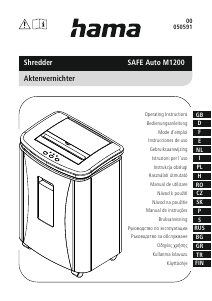
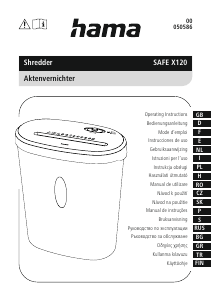
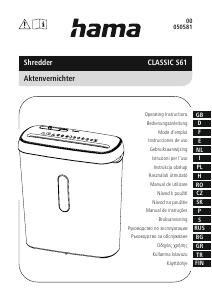
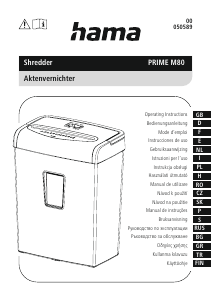
Manual Hama 00050582 Safe X40 Distrugator documente

Ai nevoie de un manual pentru Hama 00050582 Safe X40 Distrugator documente? Mai jos puteți vizualiza și descărca manualul PDF gratuit în limba română. Acest produs are în prezent 2 întrebări frecvente, 0 comentarii și are 0 voturi. Dacă acesta nu este manualul dorit, vă rugăm să ne contactați.

Produsul dvs. s-a defectat și manualul nu oferă nicio soluție? Mergeți la Repair Café pentru servicii de reparații gratuite.

Manual

Loading…

4
5. Care and maintenance
Danger –risk of death from electric shock
Disconnect the mains plug from the socket beforestarting any cleaning work.
Warning -risk of cutting on the cutting rollers
Do not touch the cutting rollers.
Warning -damage to the device from moisture
Ensure, when cleaning, that no moisturepenetrates the device in order to avoid
irreparable damage to it.
5.1 Emptying the container
Switch the deviceoff -asdescribed in 4.2 Switching the device off -and disconnect
the mains plug.
Lift the device head (1) off the waste container (9).
Empty the container (9).
Place the device head (1) back on the waste container (9).
Reconnect the device -asdescribed in 3. Installation/Setup -tothe powersupply.
5.2 Cleaning the device
Switch the device off -asdescribed in 4.2 Switching the device off -and disconnect
the mains plug.
Clean the device with adry cloth. In cases of heavy soiling, the cloth can be dampened
alittle.
Allow the device to dry completelyafterwards.
Reconnect the device -asdescribed in 3. Installation/Setup -tothe power supply.
5.3 Cleaning /oiling the cutting rollers
Note
Oil the cutting rollers after each emptyingofthe waste paper basket in order to
prolong the shredder's service life.
Youcan nd an appropriate selection of cleaning products at https://hama.com.
Switch the device on -asdescribed in 4.1 Switching the device on.
5.3.1 Cleaning with Hama cleaners for shredders (item number: 113820)
Apply the Hama cleaner for shredders (item number: 113820) in several strips onto a
piece of DIN A4-size paper.
Insert the paper into the centreofthe intake shaft (6). The cutting rollers switch on
automatically.
Once the cutting process is complete, the device is ready for operation again.
5.3.2 Cleaning with cleaning paper
Insert the cleaning paper into the centreofthe intake shaft (6).The cutting rollers switch
on automatically.
Once the cutting process is complete, the device is ready for operation again.
6. Troubleshooting
Error Possible cause Remedy
The cutting rollers do not
switch on automatically
when material to be
shredded is inserted.
The operating switch (2) is
in the "O" position (4).
Move the operating
switch (2) to the "I"
position (3).
The connecting cable
(10) is not connected
correctly.
Ensurethat the mains
plug is in the mains
socket.
The socket is not live. Check the domestic fuses.
The device is faulty.Notify Customer Services.
The device switches itself
off after aprolonged
period of use and cannot
be switched back on.
The device has become
too hot.
Switch the device off and
allow it to cool down for
at least 30 minutes.
7. Technicaldata
Input voltage 220-240 V~
Mains Frequency 50 Hz
Max. Power consumption210 W
Dimensions (W xHxD)29.5 x20.7 x15.5 cm
Weight (net) 2860 g
Weight (gross) 3120 g
Basket capacity for paper 8litres
Noise level when idling 64 dB
Max. cutting performance -paper (70 gsm) 4sheets (DIN A4 paper)*
Max. cutting performance -paper (80 gsm) 4sheets (DIN A4 paper)*
Max. cutting performance -plastic cards 1
Max. cutting speed 1.8 m/minute
Max. feed width for paper /plastic cards 220 mm
Cutting size for paper /plastic cards 4x33 mm
Max. constant operationtime 2minutes
Nominal rest period Min. 30 minutes
Protection class (as per DIN 66399) 2
Safety levels (as per DIN 66399) P-4 /T-4 /E-3
*Thicker paper,moistureorany voltage other than that permitted may reduce the
performance.
8. Warranty disclaimer
Allofthe technical information, data and instructions regarding operation contained in
these operating instructions was up to date at the time of printing and is provided based
on previous experience and to the best of ourknowledge.
Hama GmbH &CoKGassumes no liability and provides no warranty for damage resulting
from improper installation/mounting, improper use of the product or from failuretoobserve
the operating instructions and/orsafety notes.
Descărcaţi manualul în limba română (PDF, 1.22 MB)
(Protejați mediul înconjurător și imprimați acest manual numai dacă este neapărată nevoie)

Loading…

Evaluare

Spuneți-ne ce părere aveți despre Hama 00050582 Safe X40 Distrugator documente, lăsând o evaluare a produsului. Doriți să împărtășiți experiența dvs. cu acest produs sau să adresați o întrebare? Lăsați un comentariu în partea de jos a paginii.
Ești mulțumit de Hama 00050582 Safe X40 Distrugator documente?
Da Nu
Fiți primul care evaluează acest produs
0 voturi

Alăturați-vă conversației despre acest produs

Aici puteți împărtăși ce părere aveți despre Hama 00050582 Safe X40 Distrugator documente. Dacă aveți o întrebare, citiți mai întâi cu atenție manualul. Solicitarea unui manual se poate face folosind formularul nostru de contact.

Mai multe despre acest manual

Înțelegem că este plăcut să aveți un manual pe hârtie pentru Hama 00050582 Safe X40 Distrugator documente. Puteți oricând descărca manualul de pe site-ul nostru web și îl puteți imprima singur. Dacă doriți să aveți un manual original, vă recomandăm să contactați Hama. S-ar putea să ofere un manual original. Căutați manualul dvs. Hama 00050582 Safe X40 Distrugator documente într-o altă limbă? Alegeți limba preferată pe pagina noastră de pornire și căutați numărul de model pentru a vedea dacă îl avem disponibil.

Specificații

Marcă Hama
Model 00050582 Safe X40
Categorie Distrugatoare documente
Tip fișier PDF
Mărime fișier 1.22 MB

Toate manualele pentru Hama Distrugatoare documente
Mai multe manuale pentru Distrugatoare documente

Întrebări frecvente despre Hama 00050582 Safe X40 Distrugator documente

Echipa noastră de asistență caută informații utile despre produs și răspunde la întrebările frecvente. Dacă descoperiți o inexactitate în întrebările frecvente, vă rugăm să ne anunțați utilizând formularul de contact.

De ce opritorul meu de hârtie se oprește după o anumită perioadă? Verificat

Tocătoarele de hârtie trebuie să se răcească după un timp, pentru a preveni supraîncălzirea. Timpul în care dispozitivul poate funcționa înainte de a fi necesar să se răcească variază între diferite mărci și modele.

A fost util (911) Citeşte mai mult

Cât de des ar trebui să-mi ung tocătorul de hârtie? Verificat

În cazul utilizării ocazionale, este suficientă ungerea tocătorului de hârtie o dată la două luni. Cu o utilizare (foarte) regulată, s-ar putea să observați că aparatul are dificultăți la mărunțire sau că hârtia se blochează ușor. Acestea sunt semne că utilajul ar trebui să fie uns cu ulei.

A fost util (569) Citeşte mai mult
Manual Hama 00050582 Safe X40 Distrugator documente

Produse asemanatoare

Categorii relevante

×
Download