4
Note – Time zone
• The DCF signal can be received over long distances, but
always transmits the current Central European Time in
Germany. Make sure you set the time difference in countries
with another time zone.
• If you are in Moscow, for example, the time is 3 hours later
than in Germany. This means that you should set +3 for the
time zone. The clock then automatically sets the time to 3
hours ahead after receiving the DCF signal or according to the
manually set time.
Note – Day of the week
You can choose German, English or Spanish for the day of the
week display.
Note – Button tone
In Settings mode, you can activate or deactivate the button tone.
Note – Celsius/Fahrenheit
In Settings mode, you can choose between the units °C and °F
for the temperature display.
Note – Snooze function
In Settings mode, you can choose a value between 5 and 120
minutes for the snooze function. The setting is congured in
intervals of 5 minutes.
5.2 Alarm clock
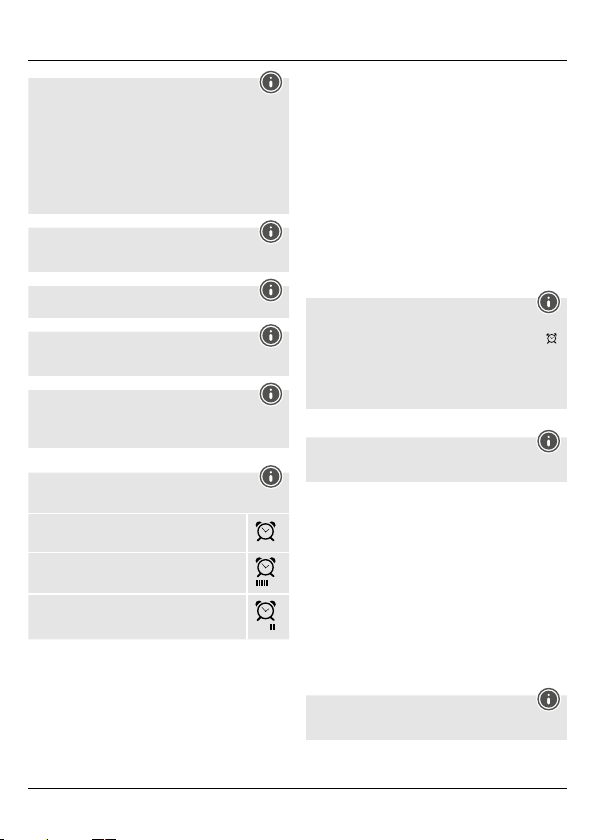
Note – Alarm type
You can choose from three different alarm types:
“One-time“: the alarm is activated once
“Mon-Fri“: the alarm is only activated on working
days (Monday to Friday)
“Weekend“: the alarm is only activated on
weekends (Saturday and Sunday)
Setting the alarm time
• Press the ALARM button (17) to display the alarm time.
• While the alarm is displayed, press the SET button (19) to
activate or deactivate the alarm.
• Press and hold the ALARM button (17) for approximately 3
seconds to set the time of the displayed alarm. The hours display
begins to ash.
• Press the + button (15) or the – button (16) to select the hour
for the alarm time and conrm your selection by pressing the
ALARM button (17). The minutes display begins to ash.
• Repeat the process to set the minutes for the alarm time.
• Then select the desired alarm type.
• If you do not make an entry for 20 seconds, Settings mode is
exited automatically.
• Press the ALARM button (17) twice in succession to display the
second alarm time.
• Repeat the process to set the second alarm time.
Activating/deactivating the alarm
• After setting the alarm, it is automatically activated.
• Press the SET button (19) to activate or deactivate the alarm.
• If the alarm is triggered, an alarm signal will sound. Press any
button (except the LIGHT/SNOOZE button [20]) to stop the
alarm. Otherwise, it will stop automatically after 2 minutes.
Note – Snooze function
• While the alarm signal is sounding, press the LIGHT/
SNOOZE button (20) to activate the snooze function. The
icon begins to ash on the display. The alarm signal will stop
for the set interval, after which it will sound again.
• Press any button (except the LIGHT/SNOOZE button [20])
to stop the snooze function and the alarm. When the alarm
ends, “GOOD MORNING” will be shown on the display.
5.3 Nap timer
Note
You can choose a value between 5 and 120 minutes for the Nap
timer. The setting is congured in intervals of 5 minutes.
• Press and hold the NAP button (18) for approximately 3 seconds
to set the time. The display begins to ash.
• To select the individual values, press the + button (15) or the
- button (16), and conrm each selection by pressing the NAP
button (18).
• After the time that was set has elapsed, an alarm sounds.
• Press any button to stop the alarm for the Nap timer.
5.4 12- or 24-hour format
Press the + button (15) to switch between the 12 and 24-hour
formats.
5.5 Backlight
• Press the LIGHT/SNOOZE button (20) to light up the display.
• During battery operation, the display is illuminated for
approximately 10 seconds.
Note - Permanent backlight mode
Permanent backlight mode is only possible when plugged into
mains power.
• Press the LIGHT/SNOOZE button (20) several times to change
the brightness level.



Alăturați-vă conversației despre acest produs
Aici puteți împărtăși ce părere aveți despre Hama 00186381 Ceas cu alarmă. Dacă aveți o întrebare, citiți mai întâi cu atenție manualul. Solicitarea unui manual se poate face folosind formularul nostru de contact.