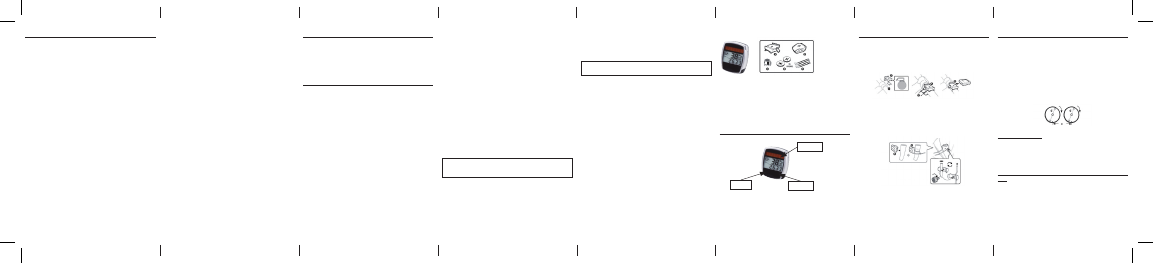
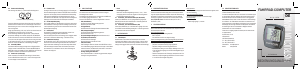
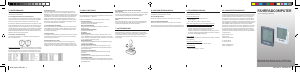
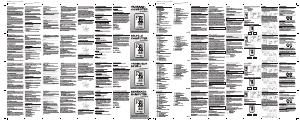
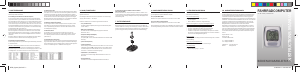
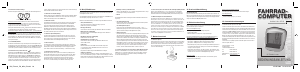
2.12 Scope of delivery
Bicycle computer
A = Bicycle computer mount
B = Sensor
C = Magnet with screw
D=3VCR2032batteriesforbicyclecomputerandsensor
E = Cable ties
3. DISPLAY AND FUNCTION KEYS
Information on solar cells: This bicycle computer uses solar cells. Solar cells
convert light energy into an electric current, thus increasing the service life of
the batteries.
TABLE OF CONTENTS
1. SCOPE OF USE
2. SAFETY AND MAINTENANCE
2.1 Safety instructions
2.2 Repairs
2.3 Operating environment conditions
2.4 Ambient temperature
2.5 Electromagnetic compatibility
2.6 Battery operation
2.7 Disposal
2.7.1 Battery disposal
2.7.2 Bicycle computer disposal
2.7.3 Packaging disposal
2.8 Maintenance
2.9 Cleaning and care
2.10 Storage
2.11 Notes on these operating instructions
2.12 Scope of delivery
3. DISPLAY AND FUNCTION KEYS
4. ASSEMBLY
4.1 Bicycle computer mount and bicycle computer
4.2 Fitting the sensor
5. INITIAL OPERATION
5.1 Switching on the bicycle computer for the
rst time
5.2 Setting the tyre size
5.3 Selecting kilometres/miles
5.4 Setting the age and weight
5.5 Setting the inspection interval
5.6 Setting the 12/24-hour display
5.7 Setting the clock
5.8 Bicycle computer check
5.9 Restart / Reset
5.10 Automatic starting/stopping of readings
6. MODES / FUNCTIONS
6.1 Resetting the route data to zero
6.2 Resetting the maximum speed to zero
6.3 Resetting the calorie consumption rate to zero
6.4 Resetting the fat burning rate (F) to zero
6.5 Manually setting the total distance travelled
6.6 Switching between bicycle 1 and bicycle 2
7. REPLACING THE BATTERIES
7.1 Bicycle computer
7.2 Sensor
8. DECLARATION OF CONFORMITY
9. DESCRIPTION OF ERRORS
10. WARRANTYPROVISIONS
From 07/2011
1. SCOPE OF USE
This bicycle computer has been designed for use solely as a bicycle computer.
Bicycle computers provide information on the speed and distances covered. Any use
other than described in these operating instructions is not permitted and may result
indamageandinjuries.Noliabilityshallbeassumedbyusforanyimproperuse.You
will nd more notes and explanations in the operating instructions.
2. SAFETY AND MAINTENANCE
2.1 Safety instructions
Please read this chapter carefully and follow all the instructions given. This will
guarantee reliable operation and a long service life of your bicycle computer. Please
keep the packaging and the operating instructions in a safe place, for the purpose
of passing them on to a new owner should you sell or give the bicycle computer
to somebody.
Under no circumstances open the housing of the bicycle computer or sensor, since
noneofthepartsinsiderequiremaintenance(theexceptionhereiswhenyou
open the battery compartment to insert or replace the batteries – refer to section
7Replacingthebatteries).Donotplaceanyobjectsonthebicyclecomputerand
do not apply any pressure to the display, as this could cause damage to it. To avoid
damage,donottouchthedisplaywithanysharpobjects.
2.2 Repairs
In the event of any necessary repairs or technical problems, please contact
exclusively our service centre. The address is on the warranty card.
2.3 Operating environment conditions
The bicycle computer is splash-water protected. Ensure that your bicycle computer is
not exposed to wet conditions or extended conditions of high humidity, and avoid dust,
heat and extended periods of direct sunlight. Failure to observe these instructions may
result in malfunctioning of, or damage to the bicycle computers.
2.4 Ambient temperature
The bicycle computer is designed for permanent operation and storage at ambient
temperatures between -10° and +50°C.
2.5 Electromagnetic compatibility
As far as possible, avoid using the bicycle computer in close proximity to electronic
devices such as computers, printers, televisions, mobile telephones or radios, as
devices with strong EMC radiation may interfere with or impede radio reception.
2.6 Battery operation
Thebicyclecomputerandsensorarebothoperatedbya3V/CR2032battery.The
following text will provide you with some information on how to handle batteries:
Replacethebatterieswithanequivalentbatterytypeonly.
Do not charge or reactivate batteries using any other means. Do not take batteries
apart, throw them into res or short-circuit them. Always keep batteries out of the
reachofchildren.Batteriesmaycausefatalinjuryifswallowed.Forthisreason,
keep the batteries and the bicycle computer out of the reach of small children.
Seekmedicalassistanceimmediatelyifabatteryhasbeenswallowed.Ifrequired
before inserting the batteries, use a slightly damp cloth to clean the devices and
battery contacts and dry thoroughly. Be careful with leaking batteries! Avoid contact
with skin, eyes and mucous membranes! If there is any contact with battery uid,
immediately rinse the areas aected with plenty of water and directly consult a
doctor. Batteries do not tolerate heat. Ensure that the computer and its inserted
batteries do not become too hot. Non-observance of these instructions may result
in damage and even cause the batteries to explode. Temperatures below 0°C may
have an adverse eect on the battery life. For information on replacing the batteries
refer to section 7 Replacing the batteries.
Note: Please do not leave the bicycle computer in a place where it will be
exposed to extreme heat or cold. Extreme cold will cause weakening of the
batteries (refer to section 2.4).
2.7 Disposal
2.7.1. Battery disposal
Batteries are hazardous waste. To properly dispose of them, there are corresponding
collection points available in shops that stock batteries as well as those provided
by municipal authorities.
2.7.2 Bicycle computer disposal
When you wish to get rid of your bicycle computer, dispose of it according to the
current regulations. Information on this is available from the municipal authorities.
2.7.3. Packaging disposal
Dispose of the bicycle computers packaging according to the current regulations.
Information on this is available from the municipal authorities.
Warning! There are no parts inside the housing of the bicycle computer that
requiremaintenanceorcleaning.
2.9 Cleaning and care
Only use a soft, damp, lint-free cloth to clean the bicycle computer. Do not use
solvents, corrosive or gaseous cleansing agents. Ensure that there are no water
droplets remaining on the display. Water may cause permanent discolouration. Do
not expose the bicycle computer display to bright sunlight or ultraviolet radiation.
2.10 Storage
Remove the battery when the bicycle computer is not in use for an extended period.
To store the bicycle computers please observe the note in section 2.3 Operating
environment conditions and section 2.4 Ambient temperature. Ensure that the
bicycle computer is securely stored. Avoid high temperatures (e.g. by direct sunlight)
and a permanently damp environment.
2.11 Notes on these operating instructions
We have structured the operating instructions for this bicycle computer in such
amannerthatyoucanreadilyndtheinformationrequiredbyconsultingthe
tableofcontentsbytopic.Ifyouhaveanyotherqueries,pleasecontactusatthe
following address:
Service address: Prophete GmbH u. Co. KG
Lindenstrasse 50
D-33378 Rheda-Wiedenbrück
+49 (0)5242 4108-59
4. ASSEMBLY
4.1 Bicycle computer mount und bicycle computer
Attach the bicycle computer mount (A) to the handlebars using 2 cable ties (E).
Insert the bicycle computer into the bicycle computer mount from the front until it
engages. Then turn the bicycle computer to the desired viewing angle. To remove the
bicycle computer, press down on the catch.
4.2 Fitting the sensor
Attach the sensor (B) to the fork using 2 cable ties (E) as illustrated in the following
diagram. Place the magnet on the spokes of the front wheel and fasten with the
screw (C). Ensure that the magnet is aligned with the sensor with a 2 mm clearance
(as shown in the next diagram).
Maximum distance of sensor to bicycle computer: 50cm!
Magnet clearance 2 mm
RIGHT key
LEFT key
Solar cells
5. INITIAL OPERATION
We recommend that you rst carefully read the operating instructions, before using
the bicycle computer the rst time.
5.1 Switching on the bicycle computer for the rst time
Before you can use the bicycle computer for the rst time, you must make a few
settings. Insert the battery (section 7.1). The rst item to be displayed will be the
entry for the wheel size “2124”.
5.2 Setting the tyre size for bicycle 1 (C1) and bicycle 2 (C2)
This step is necessary after inserting the battery (section 7.1), a restart or changing
the tyre size on your bicycle.
Determining the tyre size: mark the front tyre (C1) and the ground at the same
spot, or alternatively, use the valve for orientation. Rotate the wheel through one
revolution and measure the distance covered in mm(c). Alternatively, measure the
wheel diameter (d) in mm and multiply by 3.14. This is your entry value.
Basic setting display: 2124 (= mm), the one-digit number 4 will blink on and o.
Press the RIGHT key: the ones digit will increase by 1.
For all settings: keep the RIGHT key pressed down – the respective digit will progress
faster. Conrm your selection by pressing the LEFT key. The tens digit is now blinking.
Press the RIGHT key: the tens digit will increase by 1. Then set the following digits in
the same manner. You can only set the thousands digit to a value between 0 and 5.
Finally, press the LEFT key again to conrm the setting.
The display will now change for setting the tyre size for the second tyre (C2). Repeat
the previous steps.


Alăturați-vă conversației despre acest produs
Aici puteți împărtăși ce părere aveți despre Prophete 0523 Ciclocomputer. Dacă aveți o întrebare, citiți mai întâi cu atenție manualul. Solicitarea unui manual se poate face folosind formularul nostru de contact.
răspuns | A fost util (0) (Tradus de Google)